首先感谢 浙大电院校友 Yinda Xu,如有疑问可以联系Yinda Xu
含义
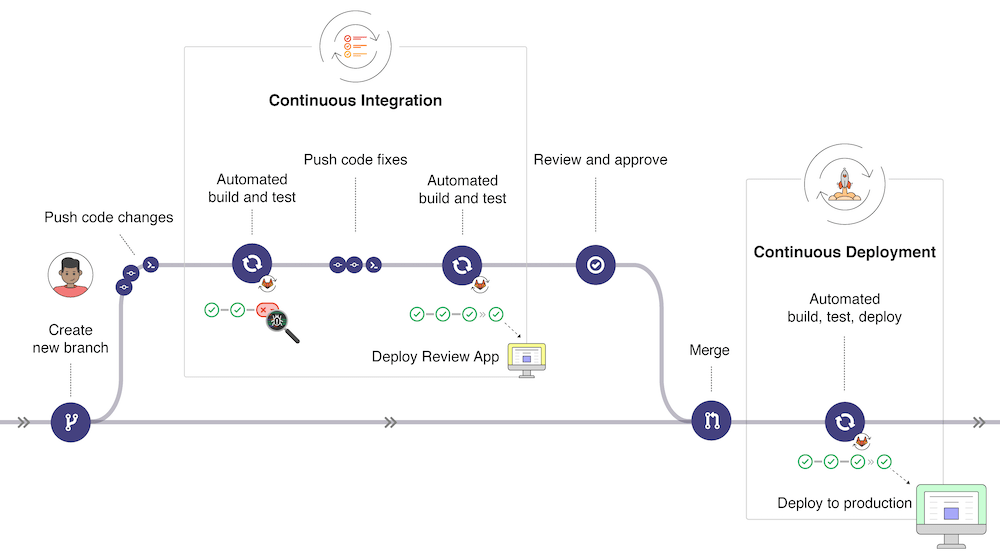
某种意义上,CI/CD 的本质是:持续地针对每一个推到远端的 commit 进行 test/deployment。
- CI/CD 的基础是 Test (关于 Testing)和 deployment。先搭建好 test/deployment,通过 CI/CD 去自动地、持续地运行。
- CI: Continuous Integration
- Integration, 集成
- CD: Continuous Delivery/Deployment
- Deployment, 部署/发布
收益
- 保证每个合入的 commit 的代码质量
- 减轻 code review 压力(被 review 的 code 不会出现通过不了测试的 bug)
- 减轻版本发布的成本(每个 commit 的 code 自动完成版本 release)
- Etc.
GitLab-CI/CD
CI/CD 相关组件一览:
- Runner
- Executor
- CI config yaml
.gitlab-ci.yml- Test scripts
./
├── cicd/
│   ├── Dockerfile.executor
│   ├── Dockerfile.runner
│   ├── README.md
│   ├── start-gitlab-runner.sh
│   ├── stop-all-gitlab-runners.sh
│   └── test-cpp-ci.sh
├── .gitlab-ci.yml
└── ...
- Test scripts

概念
Pipeline
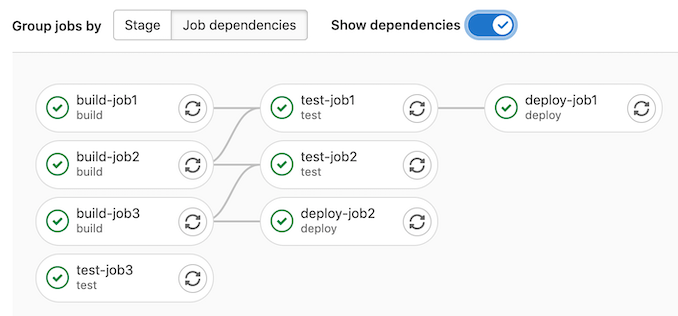
Integration/test/deployment 往往存在 多个步骤 并相互之间存在 依赖关系 。 pipeline 定义了 任务之间的依赖关系,aka 拓扑关系,aka2. 有向无环图(DAG)。
Pipelines comprise:
- Jobs, which define what to do. For example, jobs that compile or test code.
- Stages, which define when to run the jobs.
  - For example, stages that run tests after stages that compile the code.
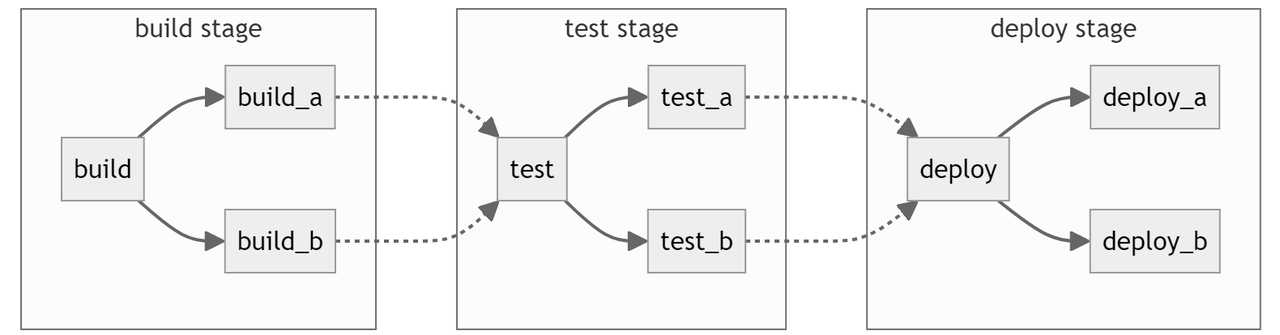
stages:
  - build
  - test
  - deploy
# ...
build_a:
  stage: build
  # ...
build_b:
  stage: build
  # ...
test_a:
  stage: test
  # ...
test_b:
  stage: test
  # ...
deploy_a:
  stage: deploy
  # ...
deploy_b:
  stage: deploy
  # ...
Runner
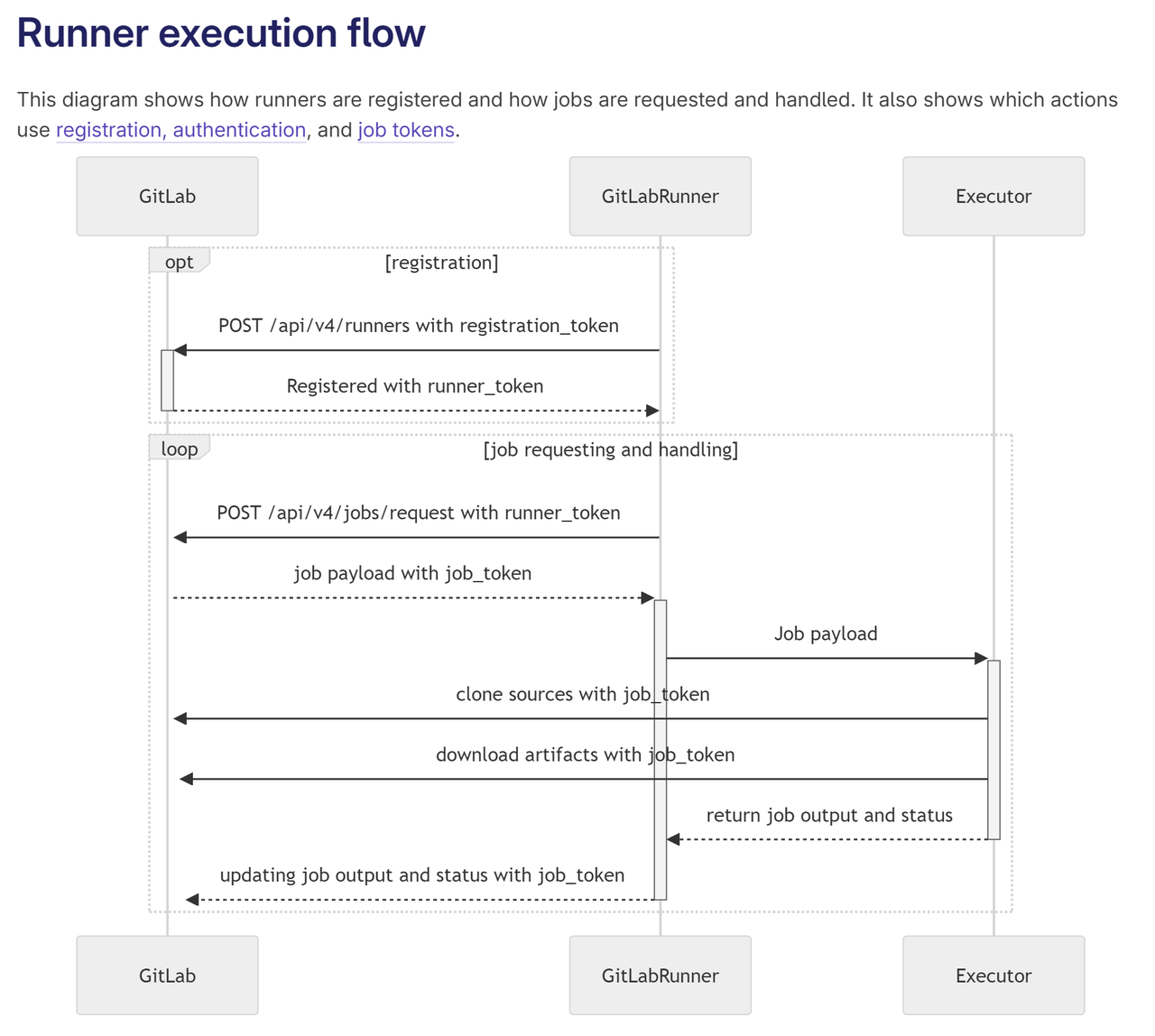
Runner 是 job 运行的载体,部署在提供 CI/CD 服务的机器上(可以是自己的服务器)。
#!/bin/bash

token=$1
if [[ -z ${token} ]];then
  echo "No gitlab runner token provided."
  exit 1
fi

docker_container_cmd="(
  gitlab-runner register \
    --non-interactive \
    --url https://git.sjtu.edu.cn \
    --token ${token} \
    # ... \
    ;
  gitlab-runner start;
  sleep infinity;
)"
image_name="drltt-cicd:runner"
docker_container_name=drltt-cicd-$(date +%s)
docker run --name ${docker_container_name} ${image_name} -c "${docker_container_cmd}"
Executor
Executor 定义了 Runner 运行的环境 GitLab 支持多种类型的 executor。DRLTT 使用了 Docker 类型的 executor
GitLab Runner provides the following executors:
SSH
Shell
Parallels
VirtualBox
Docker
Docker Autoscaler
Docker Machine (auto-scaling)
Kubernetes
Instance
Custom
gitlab-runner register \
  # ... \
  --executor docker \
  --docker-image "drltt-cicd:executor" \
  --docker-pull-policy if-not-present \
  --name test-runner
推荐使用 docker
- 环境配置方便,dockerfile 一劳永逸
- container 和 host 机器隔离
Job
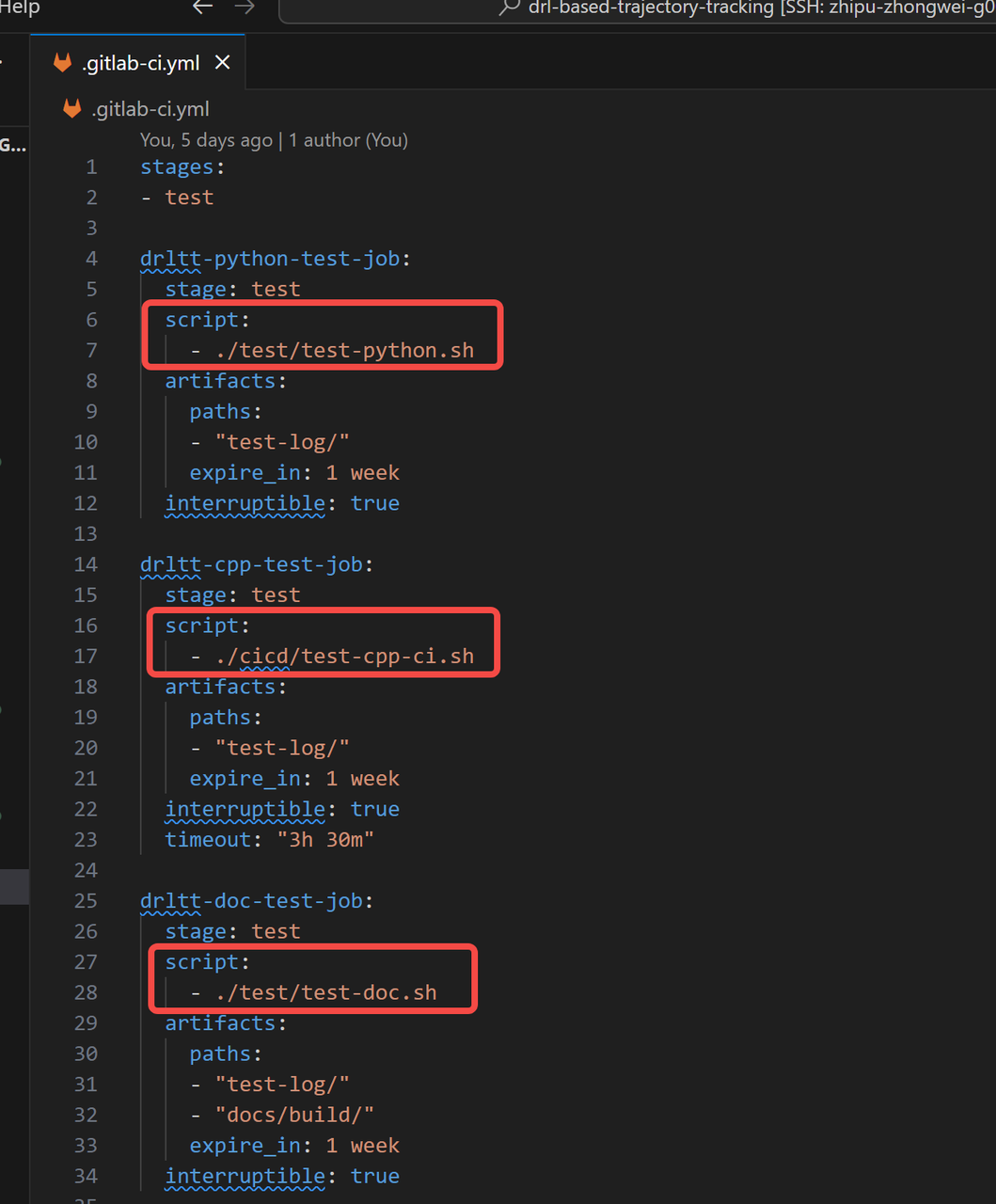
- Job 定义了具体测试的内容
- 实践中,可以实现本地的脚本,然后让
配置 ci/cid pipeline
在 repo 根目录下创建/编写 ./gitlab-ci.yml。
参考:https://github.com/MARMOTatZJU/drl-based-trajectory-tracking/blob/main/.gitlab-ci.yml
注册/启动 Runner
View project runners https://git.sjtu.edu.cn/${USER}/${REPO}/-/settings/ci_cd#js-runners-settings Create project runners https://git.sjtu.edu.cn/${USER}/${REPO}/-/runners/new
参考:
- Runner 注册/启动的脚本: https://github.com/MARMOTatZJU/drl-based-trajectory-tracking/blob/main/cicd/start-gitlab-runner.sh
- Runner 运行环境的 Dockerfile
Pipeline 运行
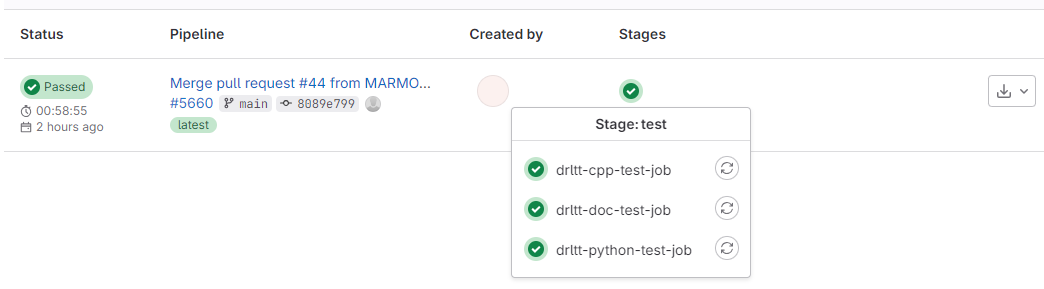
在配置了 pipeline ./gitlab-ci.yml、注册/启动了 runner 之后,pipeline 的运行是自动的。每个 commit 都会自动运行并返回结果。